For security, facilities and fleet teams
Patrols, faults, visitors and vehicles in one record.
Your team logs it on a phone as it happens. The office sees it straight away, and your client can look without being able to change anything.
We set up each company ourselves, usually the same working day. Staff sign in with a username, so nobody needs a work email.
On shift
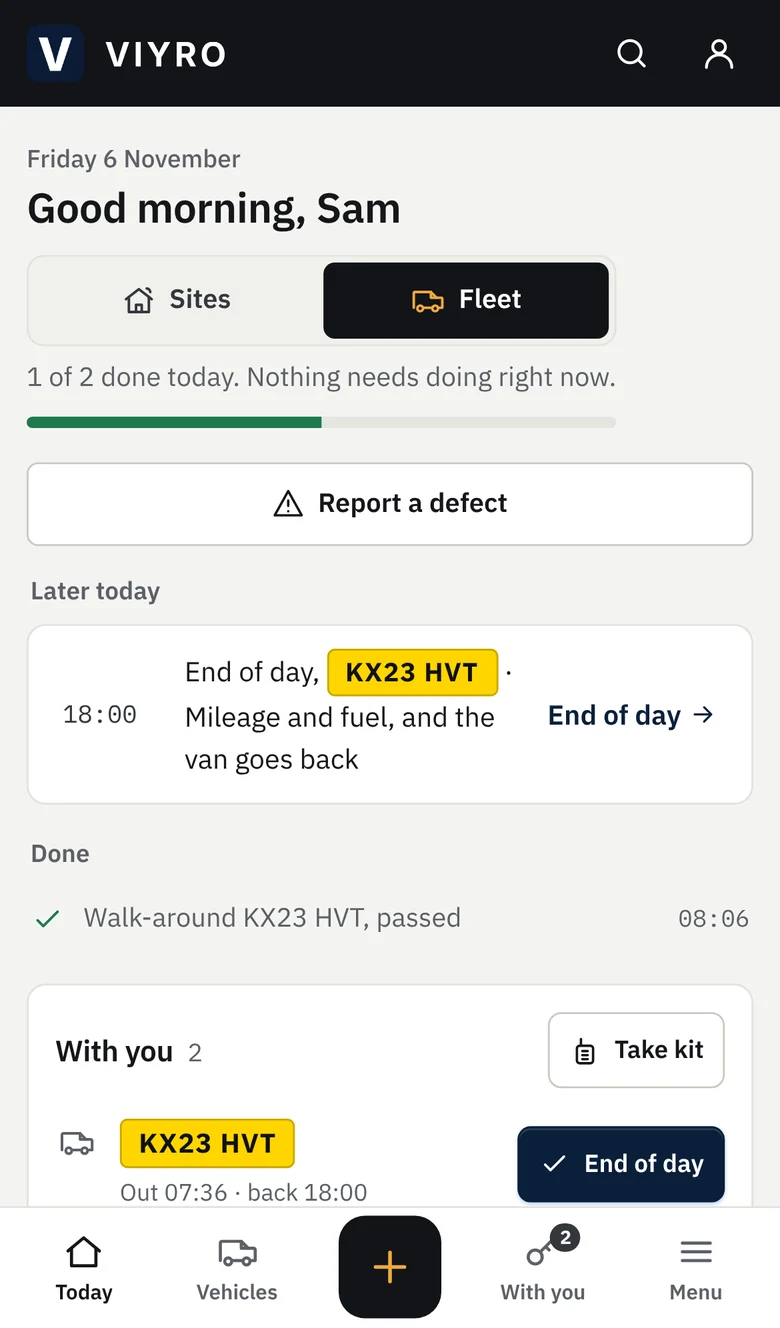
Officers and drivers see what's due next, scan a checkpoint or log a fault from the Today screen, with or without signal.
In the office
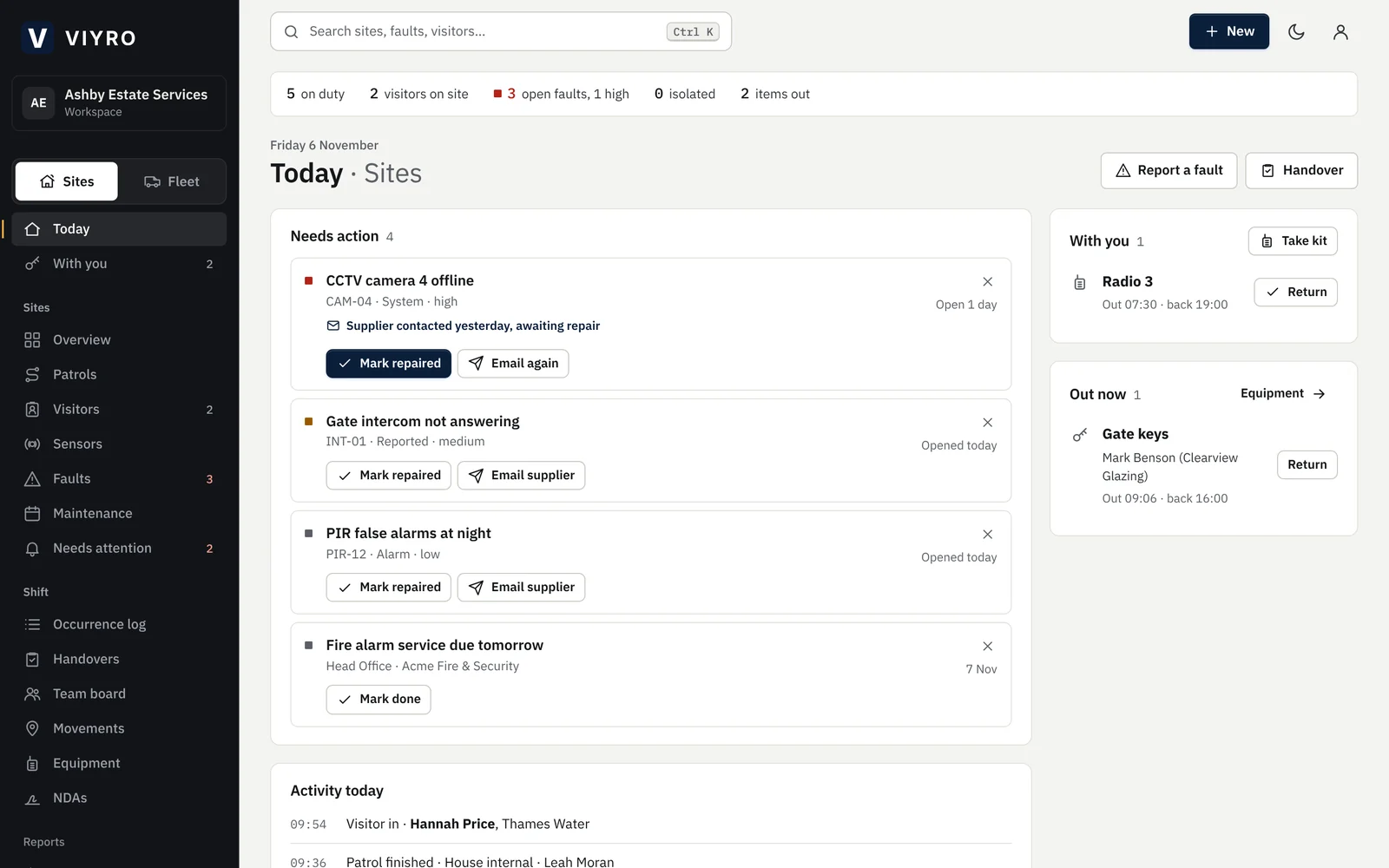
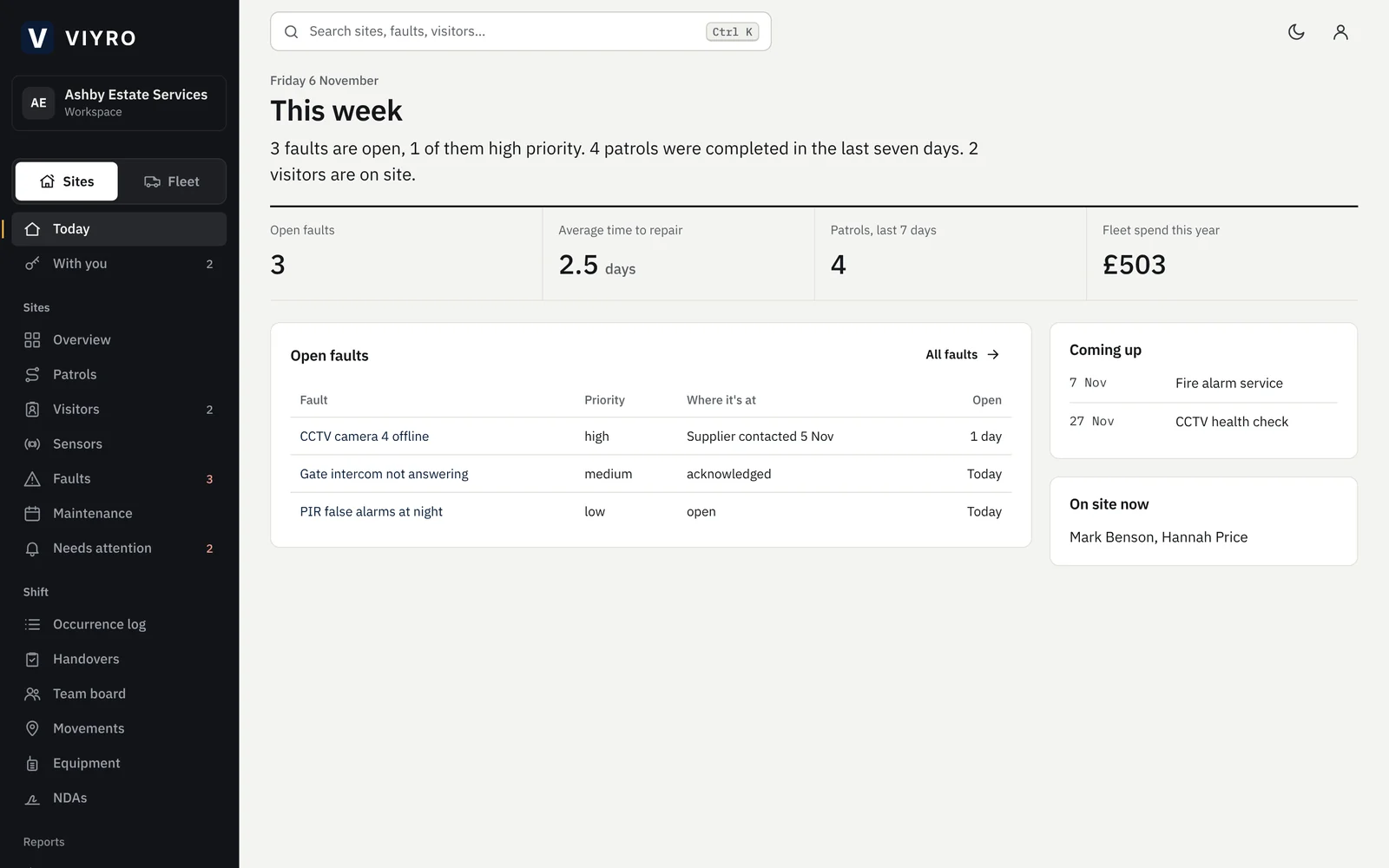
Supervisors see each entry as it's saved: who's on duty, what's open, what's overdue and who has which van.
Your client
A view-only login with a weekly summary and only the records you choose to share.
The shift, in the order it happens
Each person's Today screen lists what to do now, what's coming later and what's already done, built from the patrols, visitors, vehicles and faults that apply to them.
- Patrols are scanned at each checkpoint's QR code with the phone's camera. A missed checkpoint needs a reason.
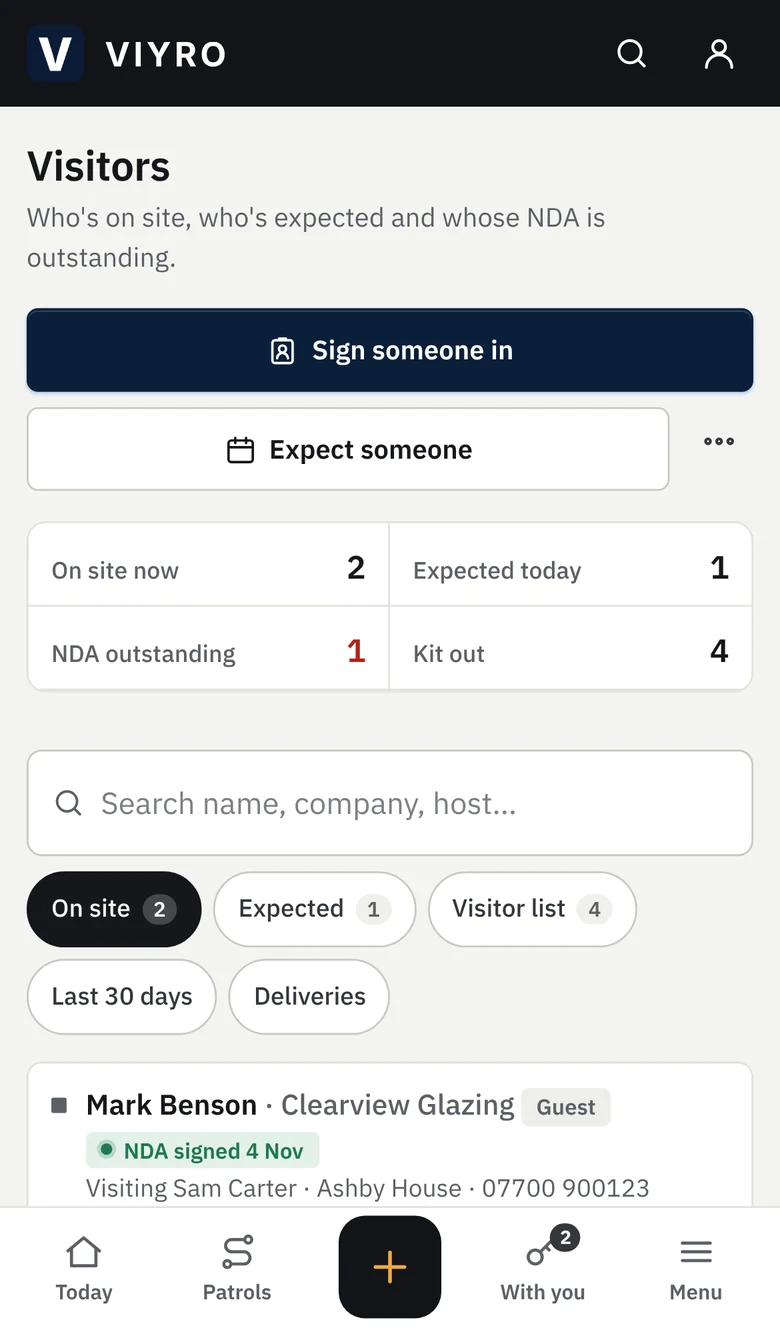
- Visitors are checked in from the visitor list. Anyone who needs an NDA signs it on the spot, on the officer's phone or their own.
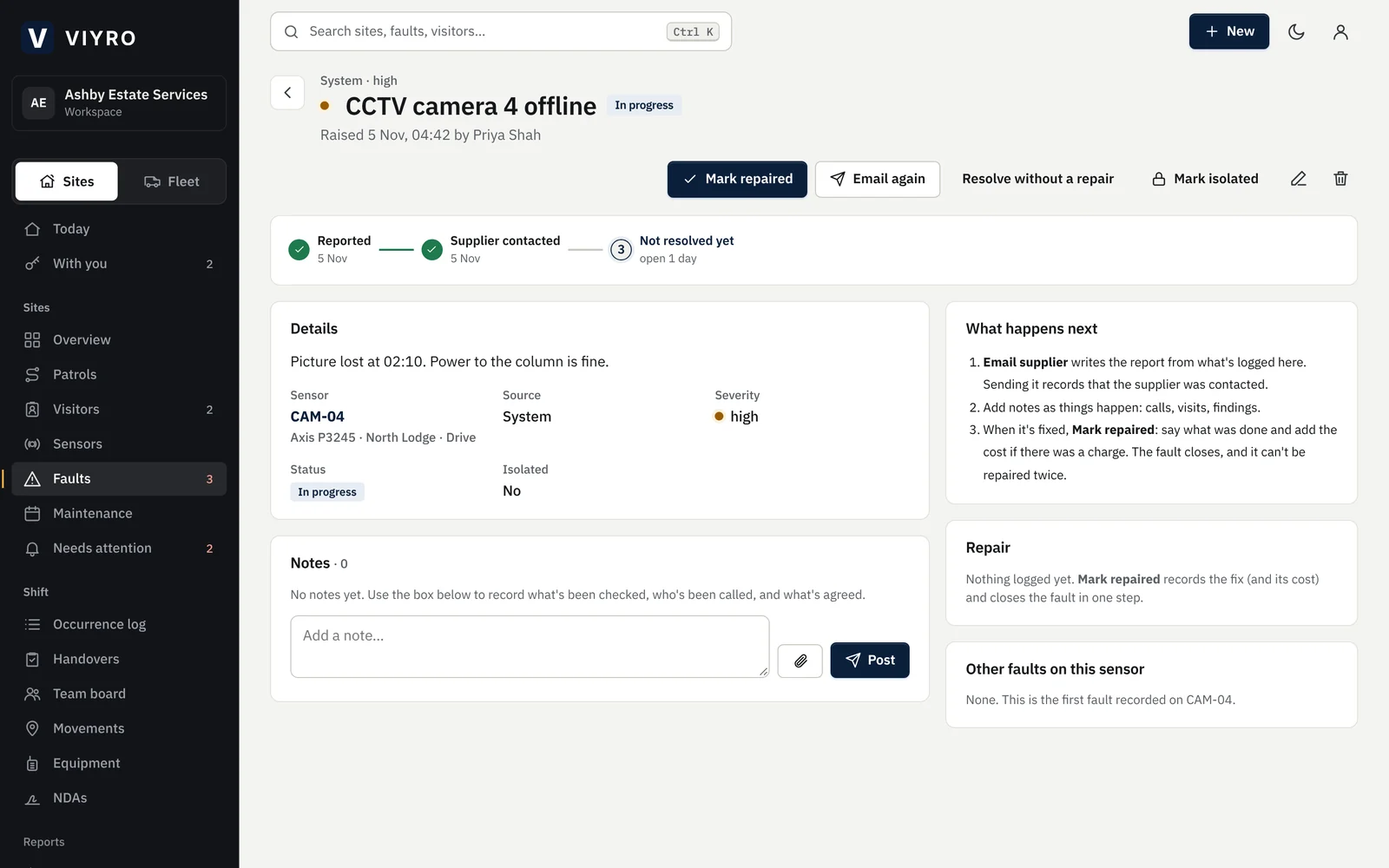
- Faults go in with photos. The officer doesn't need to know who the supplier is; the office does.
- No signal on site? Entries are kept on the phone and sent when it's back.
Vans and kit, out and back again
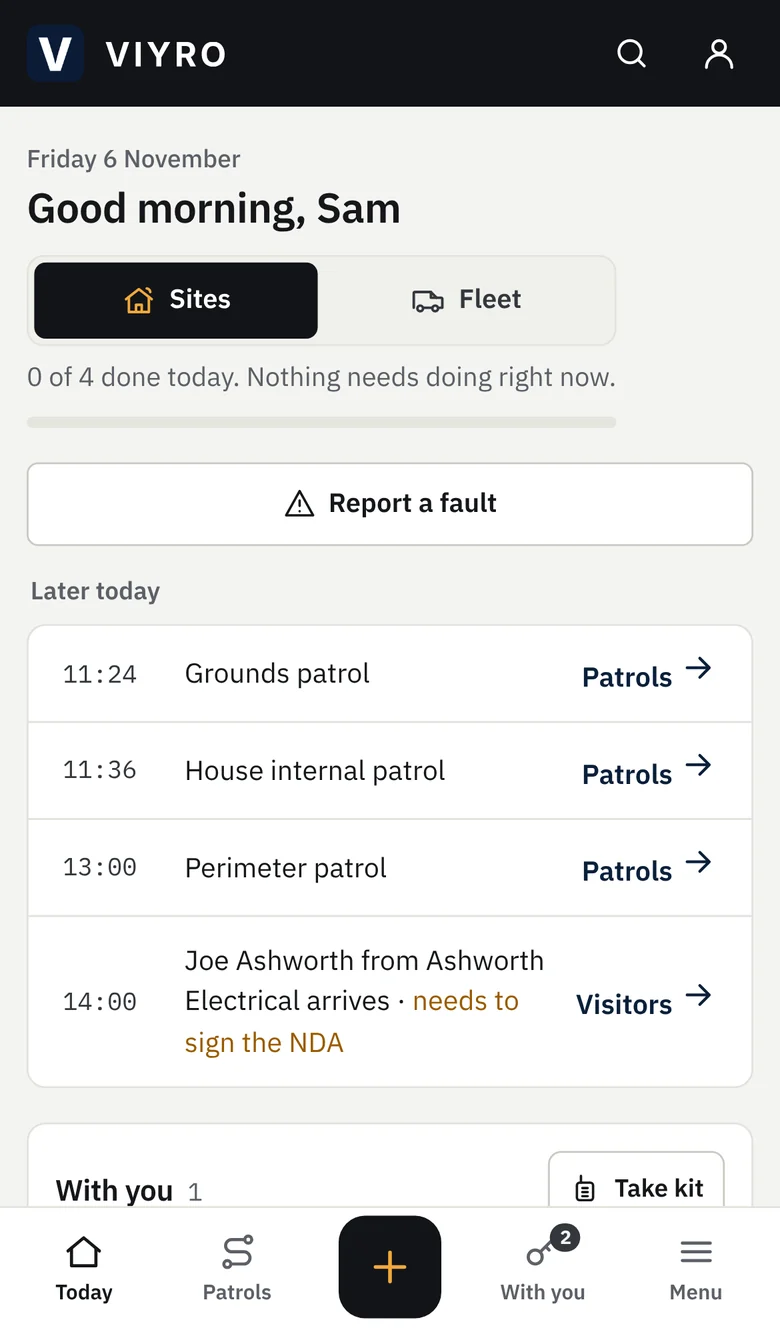
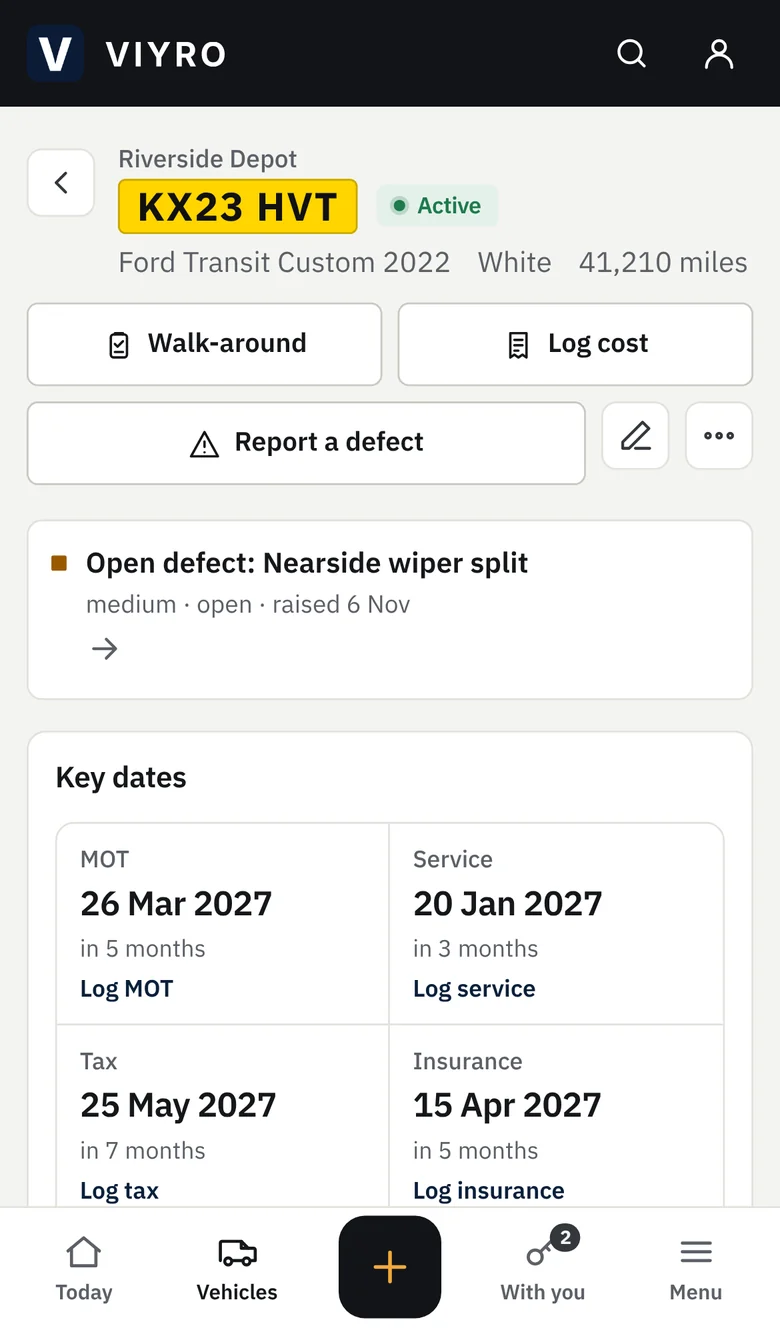
Drivers take a vehicle for themselves and check it back in at the end of the day. Radios, keys and trackers work the same way, so everyone can see what they're holding.
- One vehicle per driver at a time. A van that failed its walk-around, or is off the road, can't be taken.
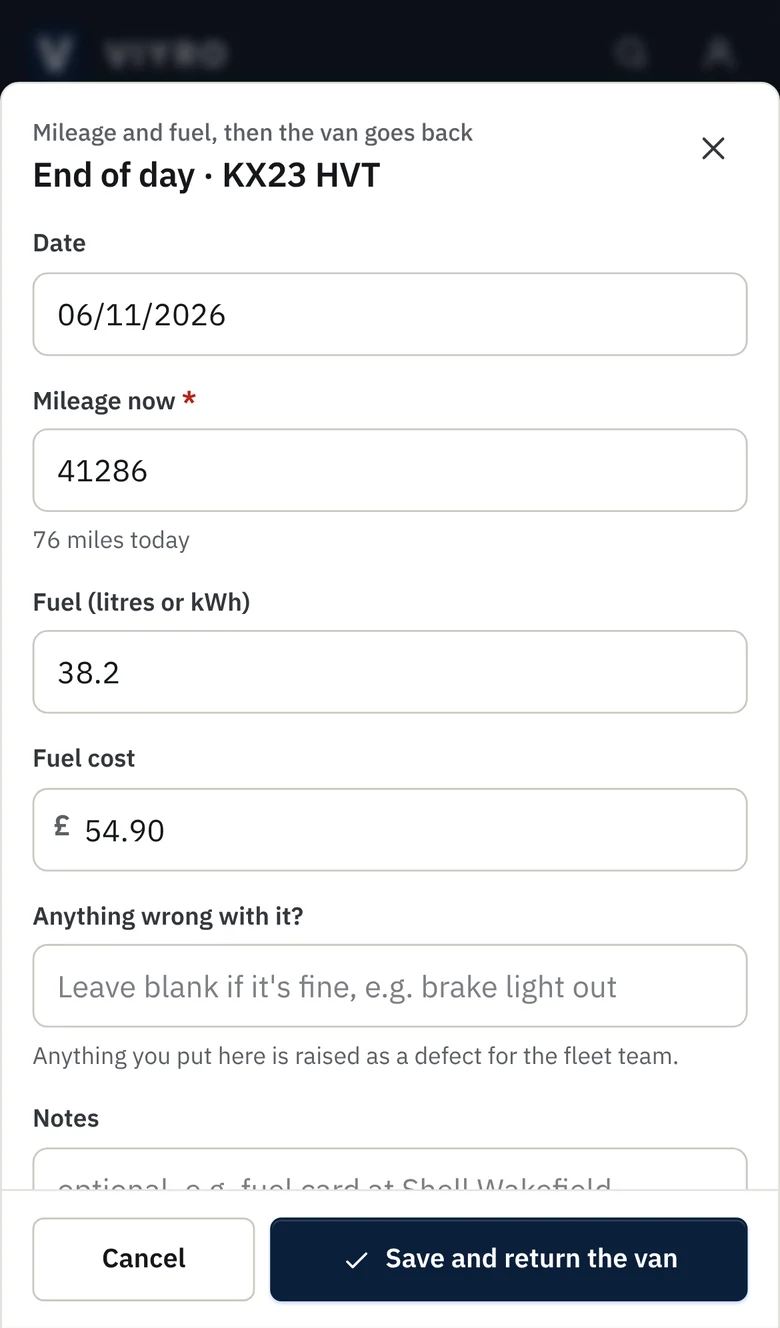
- End of day records the mileage and fuel and checks the van back in, in one step.
- Anything wrong with it becomes a defect for the fleet team, straight away.
- MOT, service, tax and insurance dates show on the fleet board from 30 days out, and every cost is logged against the van.
The office sees it as it happens
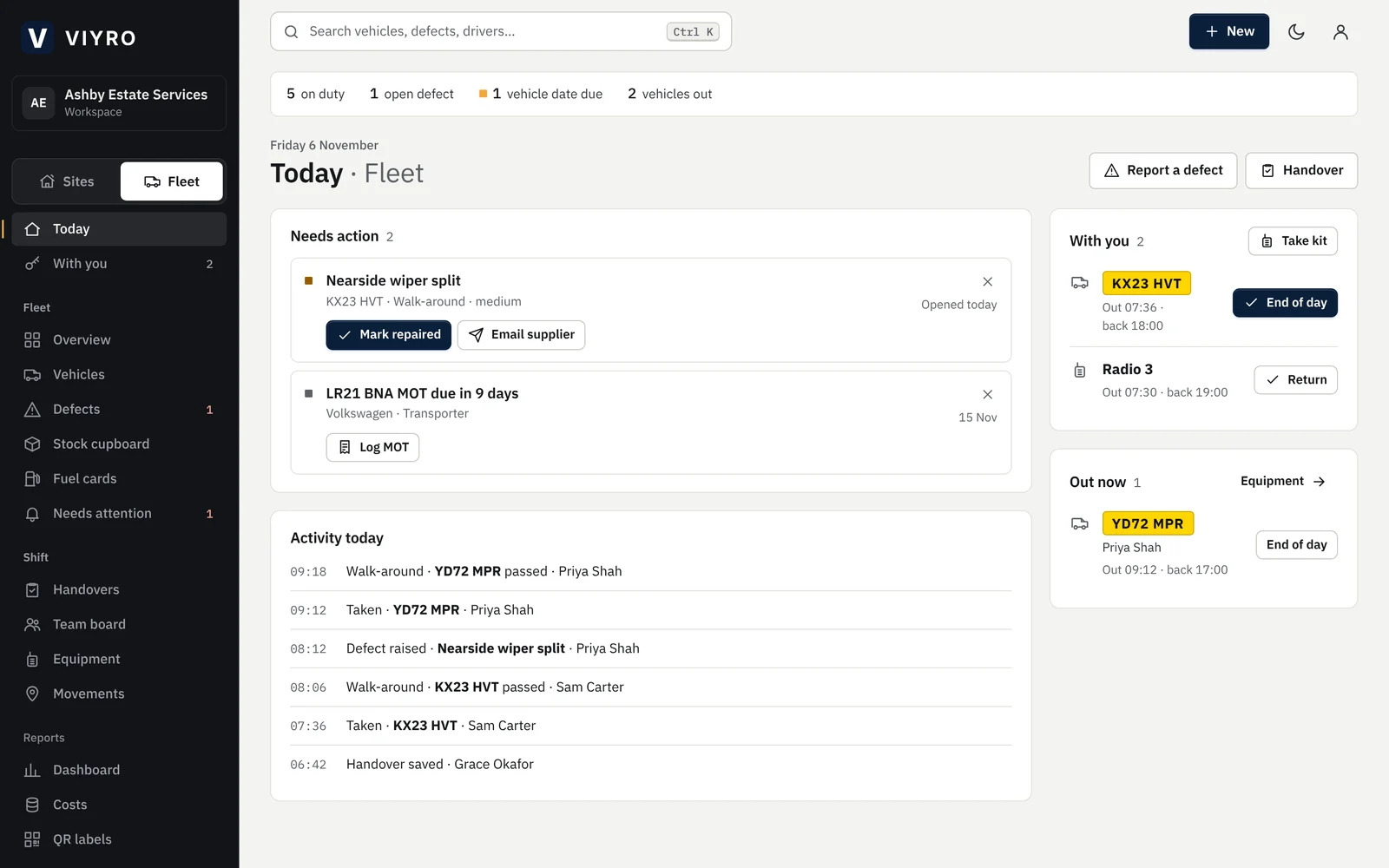
The Today board is one list of what needs action, with the button that deals with each item: start the overdue patrol, chase the supplier, log the renewal. Underneath it is a running log of the day. Sites and fleet each have their own board, and people who look after both switch with one tap.
Security
You'll be trusting Viyro with your sites, your people and your client's visitors. This is how it's protected.
- Companies are kept apart by the database
- Every record belongs to one company, and the database checks that on every request. Someone from another company gets nothing back.
- People see only their tools
- Administrator, user or view-only, with each tool switched on per person. View-only logins can't add, edit or delete.
- Every change is recorded
- Adds, edits and deletions are logged with who made them and when. Only administrators can delete.
- Files are private
- Photos and documents can only be opened through short-lived links issued to people in your company.
- NDA signatures are kept with the wording
- The exact wording, the signature, the time and the device are stored with the record. Each signing link works once and expires.
- Where your data lives
- The database is hosted in Ireland, in the EU. Data is encrypted in transit and at rest, and the app loads no third-party scripts.
How the free trial works
- Request a trial. Tell us your company name and roughly what you look after. It takes a minute.
- We approve it. Usually within one working day. You'll be the administrator, with your own Company ID.
- Add your team. Create usernames for your officers and drivers, add your sites and vehicles, and give your client a view-only login.
Questions
- Do my staff need email addresses?
- No. You create a username for each person inside Viyro. Only the person who registers the company uses an email, so they can recover their own account.
- Can our client see our data?
- Only what you choose. Give them a view-only login and tick the tools they should see. They can look but can't change anything.
- We do both sites and vehicles. Is that one account?
- Yes. People who work on both switch between the two with one tap; everyone else only ever sees their own side.
- We already have our assets in a spreadsheet.
- Import it. The importer matches your column names, understands UK dates, shows you what will be added or updated, and never duplicates a tag.
- What happens when the trial ends?
- Your workspace is paused and everything you recorded is kept. Carry on and it's back as you left it. You can download a full export at any time.